
First prompt
Làm cho mình app nhắc thay nhớt xe máy. Nhập số km lúc thay với số km bây giờ, báo còn bao nhiêu km nữa.MeaningMake me an app that reminds me to change my motorbike’s oil. I enter the km when I changed it and the km now, and it tells me how many more km are left.
- App name
- Nhớt Xe Tôi (My Bike’s Oil)
- Suggested features picked before building
- Custom interval, History
The app it made
- After saving 12400 as the km at the last change and entering 13650 as the current km, it showed “250 km left.” The default change interval was 1,500 km.
- Saving an interval of 2000 in “Custom interval” showed “750 km · Within the oil change interval” with a progress bar.
Change request
Thêm nút tìm tiệm thay nhớt gần Cầu Giấy trên bản đồ.MeaningAdd a button to find oil change shops near Cau Giay on the map.
After the change
- The km entered earlier are still there, and a “Find oil shops near Cau Giay” button appeared.
- Tapping the button showed a list of “Oil shops near Cau Giay,” and tapping a shop put a red pin on Google Maps.
In the original recording, the change took 1 min 4 sec.
When reopened
Save, close, and open it again, and 750 km, 13,650, 12,400, and the shop search button are still there.
Try writing it like this for a similar app
- Make a car oil change app. When I enter the km at my last change and the km now, show the km left.
- Let me set the change interval myself, and keep a record of the date and km of each change.
- When the distance left drops below 300 km, show it in red.
These are sample prompts, not real cases. What you get depends on what you ask for.
How to make it
- Type the app you want in one sentence in the box on the home screen.
- Answer “Give your app a name.” with the name you want.
- From the features BYVE AI suggests, pick only the ones you want.
- Tap “Build for 1 token” to build the app, then tap “Open app” to use it right away.
- Write what you want to change in the chat, and the same app gets updated. A change also uses 1 token.
Good to know
- Each new app or change uses 1 token. You get 2 tokens when you first install, and you can get up to 3 more every 24 hours by watching ads. There are no in-app purchases.
- The apps you make and what you enter are saved on your phone, and apps you’ve already made open without internet. Features that fetch outside information, like weather and maps, need internet.
- It works on Android 8.0 or later and iOS 17.0 or later, and there’s no sign-up.


Android & iOS · Free · No sign-up
More examples

Make a counter app for who ate how manyGeorgia · Counter

Make a prepaid electricity token calculator app with one sentenceIndonesia · Log & chart

Make a market shopping budget app with one sentenceTürkiye · Shopping & budget

Make a TV size inches-to-cm calculator app with one sentenceBahrain · Calculator

Make a tree age estimator app with one sentenceBhutan · Calculator & log
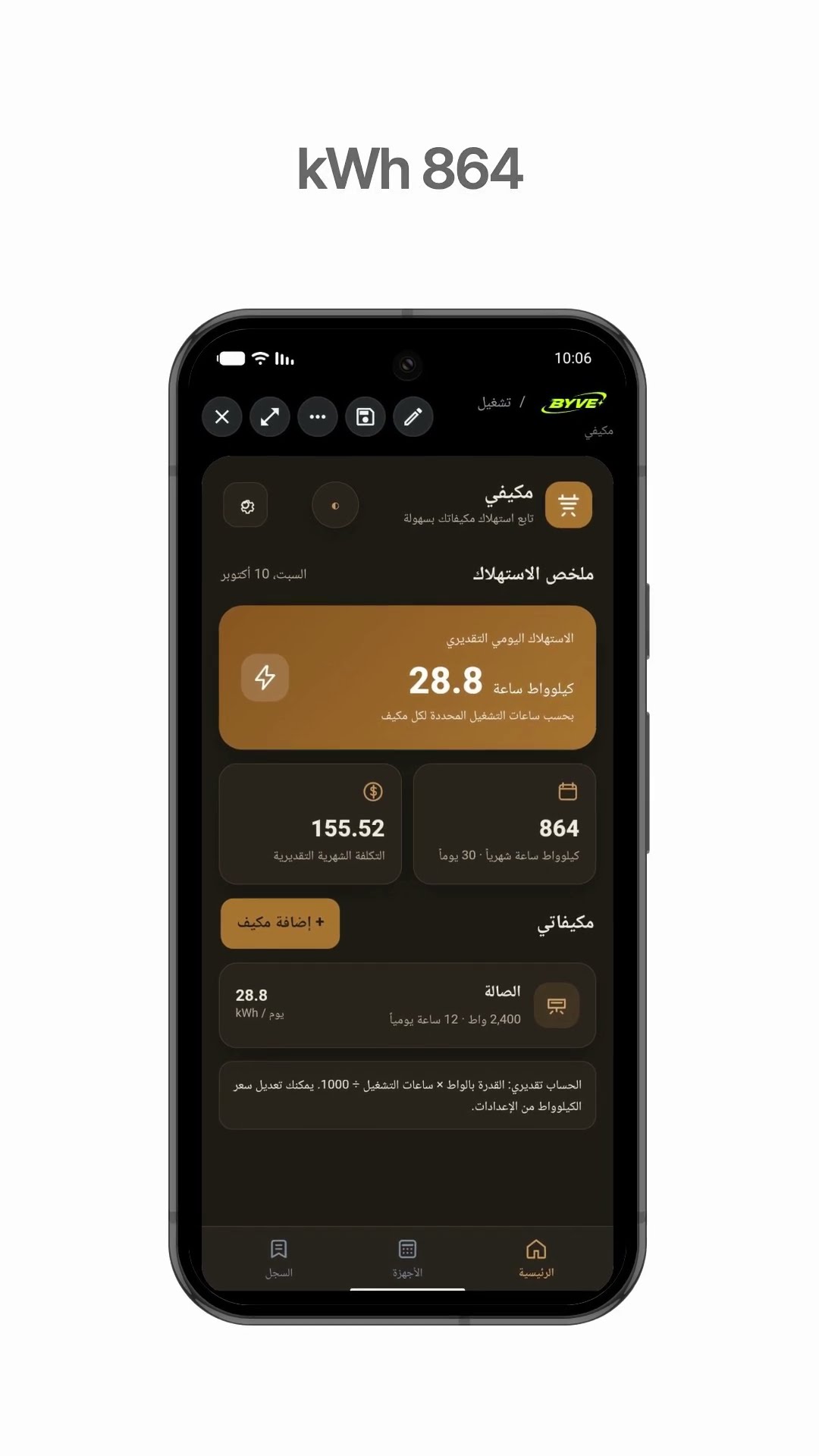
Make an air conditioner electricity usage app with one sentenceKuwait · Calculator & electricity
This example in other languages: 한국어Tiếng Việt